Getting things connected and functional is always the first step, so I tend to choose the easiest method available to me, whether I will ever choose to use that method or not. This post is an example of that, and the reasoning behind it.
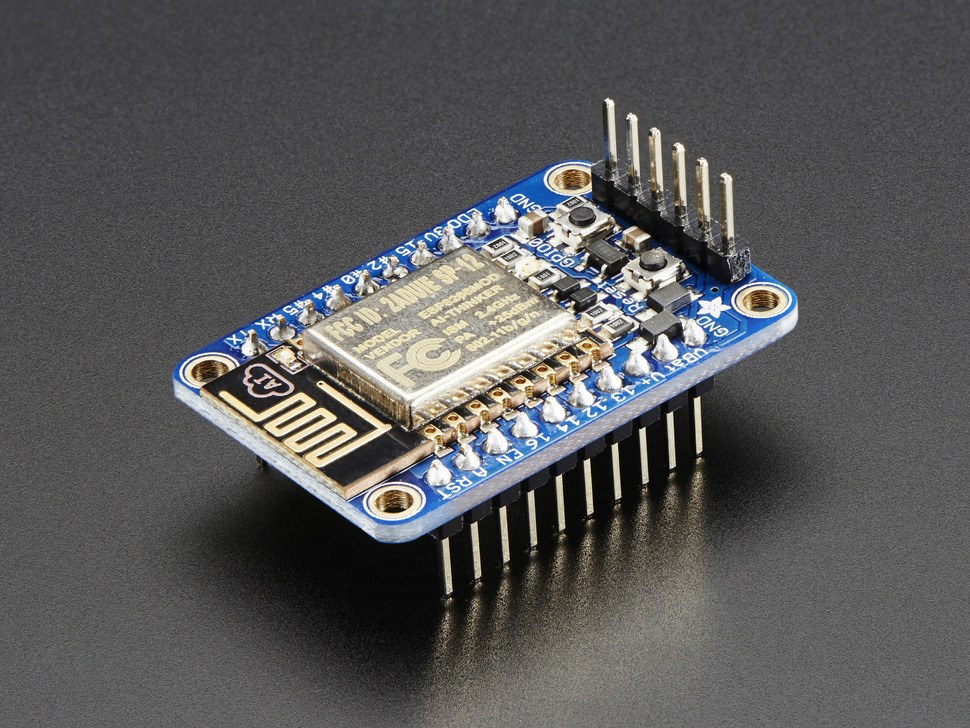
I’m not going to go over the ESP8266 as it’s already been done numerous times. Here’s Adafruit’s Learn module for the Huzzah ESP8266. It’ll walk you through what the module is, to assembling it, to getting it connected.
Getting Connected
So, easiest method available for testing this module is a direct connection to a PC via an FTDI Serial TTL-232 USB Cable(pictured below).
Here is is connected to the breakout. No other connections are required. It’s in the breadboard simply to hold it in place. Keep in mind the corresponding pins will be live… meaning, USB is supplying power, ground and TX / RX signals that are broken out to other pins. If you set the pins on something conductive, you could damage the board. Hence why I put it in a breadboard. Besides, we’ll need it in a breadboard for testing it out later!
First thing to make clear is that the driver board from Adafruit DOES have level shifting on it, and can be connected to both 3.3V and 5V systems. Let me also be clear that although it will work with a mixture of voltage signals (as I found out), you should PICK ONE.
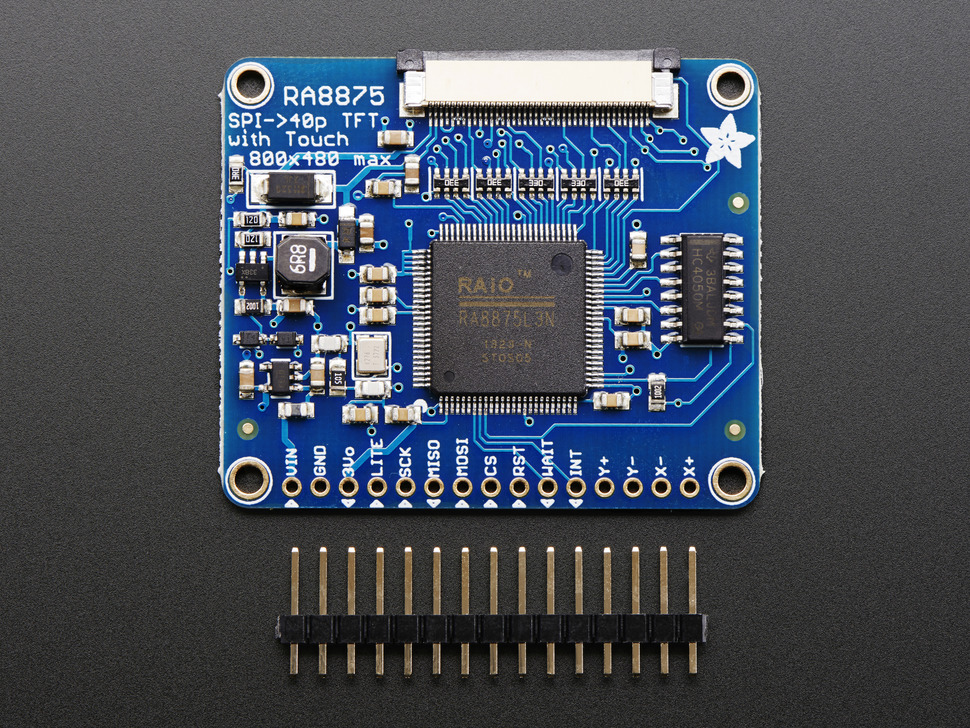
Connections:
Vin: +3.3V (** OR +5V)
GND: GND
3Vo: NC (** 3.3V out from the on-board regulator)
Lite: NC (** Can be used to turn backlight off)
SCK: SPI SCK
MISO: SPI MISO (** MISO is NOT tri-stated and cannot be used with other SPI devices without 74HC125 or similar)
MOSI: SPI MOSI
CS: SPI CS
RST: Active Low – connect to any available MCU pin
WAIT: Active Low – connect to any available MCU pin
INT: Active Low – connect to any available MCU pin (** or INT pin if you want to use interrupts)
Here are the basic connections made for my setup, which includes the RA8875 driver board, a PIC18F46J11 (3.3V) (44-pin TQFP breakout from Adafruit) and an SD/MMC card breakout from Sparkfun. Top right is voltage regulation. 9VDC in, 3.3V out on the left and 5V out on the right. One thing to note here is I had to use a 10K pullup on the MISO of the SD card to get it to work.
This tip comes from a recent job I did for a new client. Well, the tip is not so much from the job, but what transpired while acquiring the job. Hence the title of this post – Too much information. The short story is this;
An email came in from a prospective client, through my website, asking me to give them a call to discuss a problem they were having with their safe.
Upon calling the client and discussing their problem, it was determined that I could help them with their problem. We then discussed fees, I was given the clients address and a time was setup to meet them at their premises.
The job ended up being pretty simple — the client had caught an object (in this case a coin tube) behind the safe door locking bolt causing a jam — so, the job went smoothly, I were paid and all ended well for everyone.
I bet you’re scratching your head, thinking this sounds pretty routine. Well, you’d be right (which is the reason for this post), but what I’m referring to is when too much information is given out by the client.
All too often do I talk to someone who offers too much information, and they may not even be aware they’re doing it.
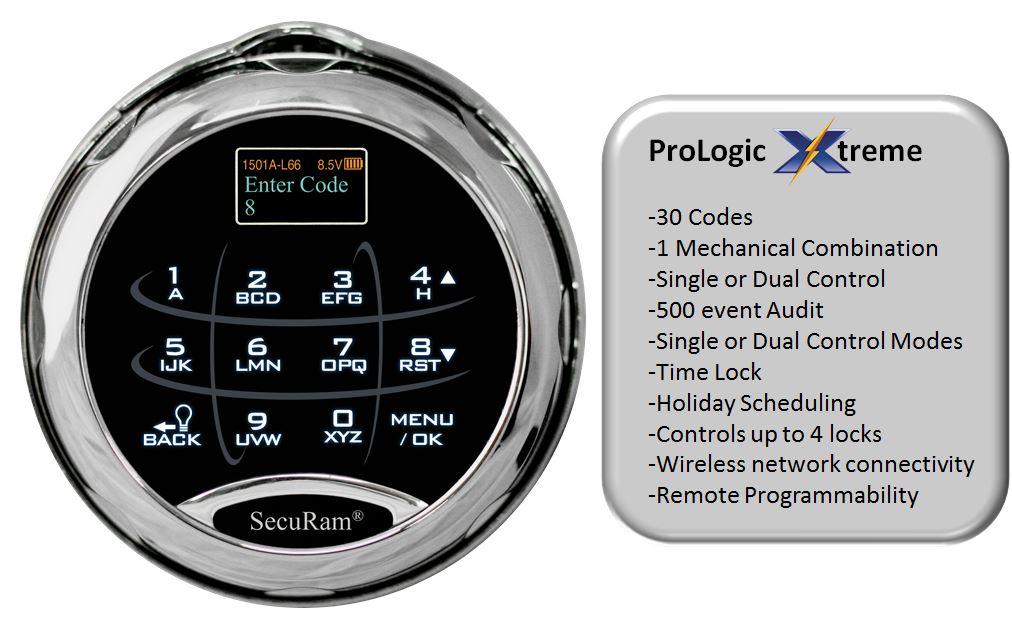
You may have even heard about the SafeLogic Xtreme, which is their standard electronic locking system, paired with a mechanical 3 number combination lock (referred to as “SpinDial” by SecuRam), producing what is known as a “redundant mechanical safe lock”.
What you may not have heard yet is that SecuRam has now introduced the ProLogic Xtreme, the same redundant mechanical lock offered by their SafeLogic Xtreme, with the advanced features of the ProLogic Series!
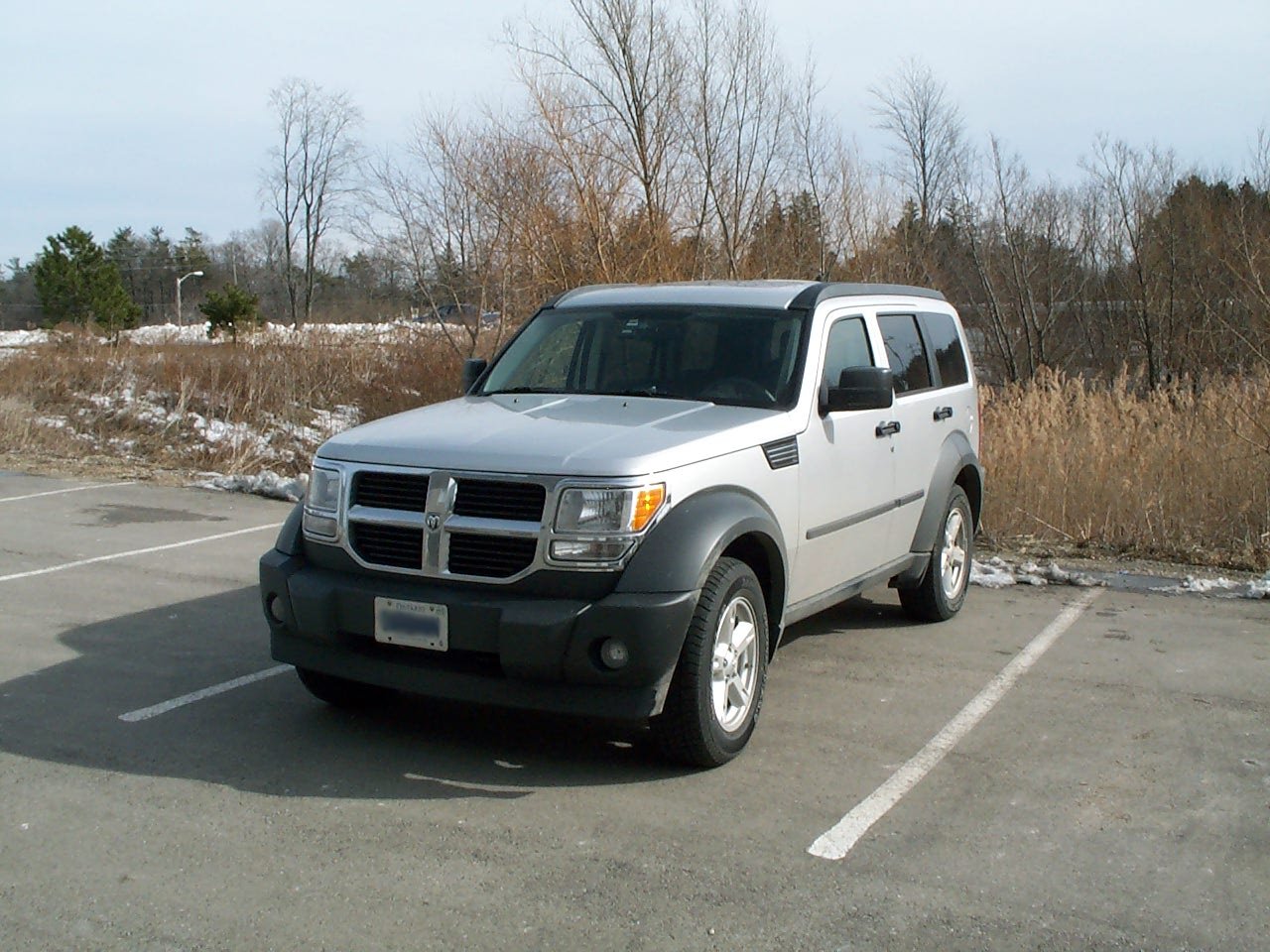
Seeing as I haven’t posted much here in a while, I’ll start things off again with a repair that I did to my 2007 Dodge Nitro today…
About a month ago I noticed that my steering wheel was starting to have up and down “play” in it, which seems to have gotten worse this past week. So, today, I decided I’d Google it in case it had already been discussed elsewhere.
Well, that payed off with this thread on nitroforumz.com. What was also noted there was a clicking sound coming from the steering wheel / column — something I had noticed since driving my Nitro off the lot in April 2007. Something that I simply wrote off because it sounded like a spring clicking inside the column, which could have been normal.
Anyway, to make a long story short, here’s some images of how the repair was done (click on any image for a larger view);
I read what you said about the wires on the Blazer, but mine were not corroded. I took it off and cleaned it up anyway and it came back on, but as soon as I turned the key off she was gone again. I don’t have any lights lighting up on the 4×4 switches. Service 4X4 light is on in the dash. I don’t know what is going on. Any suggestions or advise greatly appreciated.
Am I glad that I fixed my 4 wheel drive! I’ve needed it a few times this month. The unfortunate part of this update is the fact that I now have a very defined “clunk” in the front differential. Of course, this is just speculation at this point simply by where and when the noise occurs.
The Blazer has a weak point in the transfer case (a snap ring that breaks causing a “grinding” noise), so that was my first thought, but quickly ruled out — it only does it in 4 wheel drive for one. If it were the snap ring, it would grind in 2 wheel drive and get better in 4 wheel, not to mention the noise would be coming from the rear seat floor (where the transfer case is) and not the front end (which is where the front differential is).
Anyway, I have to do a little more diagnostics with the guys over at the garage on a drier day to figure this out. I’ll keep you posted!
UPDATE
Wow! I thought I had updated this post to describe the problem as it was found by the guys at my tranny shop.
I really should get some proper terminology for the parts — anyway, as it was described to me, there is a set of “forks” in the transfer case that control the movement of a gear (gears?) for the various modes (2Hi, 4Lo, 4Hi). The forks have plastic (delron? nylon?) bushings that quickly wear out — this is an inherent problem with the transfer case of my particular year of Blazer — and cause the gears to not fully seat in their proper positions. This means that when you try to switch to 4Hi, it may not go in right away or, for that matter, when shifting to 2Hi it will seem to stay in 4Hi for a period of time, then switch to 2Hi with a “bang”. It may also kick in and out as you drive down the road, as mine did.
Again, I should really find out some more information on this problem. As I have said, I have a tranny shop in the family, so it was repaired and put “on tab”, so I can’t even tell you how much it cost to repair, but I will find out.
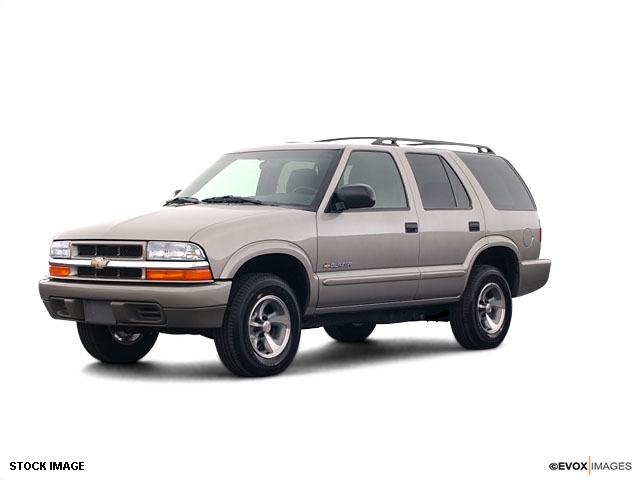
Well, today I fixed yet another problem with my 2003 Chevy Blazer 4 Wheel Drive — Friday past, my in-dash 4×4 controls stopped working and hence I could not engage 4 wheel drive. Of course, these things will always happen at the most inconvenient time.
I had to drive to Ottawa, ON (about 5 hours from me) last Friday and, as luck would have it, encountered an ice storm that made driving very treachurous. So, I thought it would be a good idea to engage 4 wheel drive… I pushed the 4 wheel high button and… nothing. No lights on the dash and no 4 wheel drive! What?
I pulled over and checked the fuse — everything was good there, but I decided to change it just in case. Still nothing. After trying everything I could think of, I just had to deal with it and continue on in 2 wheel drive. Every car I passed in the ditch, I just kept praying my 4 wheel drive would come on… but no such luck. The real pisser here is, I tried it that morning and all was fine… now, when I need it, nothing!
Anyway, skip forward… all went well last weekend, but I still had a broken 4×4 to deal with. And, as if Murphy hasn’t already done enough, it’s the holiday season and most places are only open a few odd days. That made things difficult when I found out what I needed to look for!
The problem, as I discovered, was corroded wires in the 4×4 module. The module is located behind the kick panel on the passengers side (see picture below). How did I know this? Every time I would engage my 4 wheel drive, I would hear a “click – click” coming from that area… never thought anything of it ’til now! When it stopped working, I went searching… first behind the glove box, but I could clearly see that the only relay (the things that make that “click – click” sound) there was for the signals (turning on the hazard lights confirmed this as you will be able to clearly hear the relay, not to mention feel the click if you put your hand on it).
A shot with the kick panel in place
Kick panel removed
What we’re after… the TCCM
It only took a few minutes to locate the module and the problem was clearly visible after removing the module from the frame to have a closer look. The wires/plug connector were badly corroded on a few pins — which led to two broken wires (pin #1, grey w/ black and pin #6, orange).
A shot of the wire harness showing corrosion
OK, so how the heck am I going to fix this? I can only imaging what GM would want to do (read as “harness replacement”… $$$$$$$$$$$$$$). And from asking around about obtaining a replacement plug, my only option would be a scrap yard. Upon talking to a couple yards, they apparently take these modules out ($$$$$$$) and simply cut the connector off and sell it with the module. So, that really only leaves me to a scrap yard that lets you walk around… and haven’t removed the module… don’t wanna go there. 😉
Plan B… I’ll try my local electronics store and see if I can get a few of the female ends (metal clips on the end of each individual wire… there are about 30 wires, I didn’t actually count). Again I hit some obstacles. I was told that the clips could probably be found, but they would need a sample to send off. I’ll keep looking.
At the last place I tried, I did find a female connector that would do the trick… it just didn’t have the tab to hold it in the main connector (each individual wire clips into a spot in the main connector). I thought I’d give it a try and see what I could do (the plastic bag you see in the third image contains a couple more spare connectors in case it ever happens again… I’ll know right where they are!).
After cleaning up the corrosion on all remaining wires, and cleaning out the main connector, I stripped and attached new clips to the two broken wires and stuck them in the main connector. OK, now I just need to make sure they don’t get pushed out when the connection is made… how? Hmmm… how ’bout hot glue? 🙂 I actually plugged in the main connector to the module (after sealing it all up with dielectric gel… which would have prevented this in the first place) and then inserted the wire into pin #1 and made the connection, and the same for pin #6.
I turned the key in the ignition… Houston, we have ignition! Yahoo! I pushed the 4 wheel high button and heard the familiar sound of the 4×4 module relay and the transfer case motor… wonderful sounds!
So, I have everything working… time for the hot glue. I put a dab of glue down the top of pins #1 and #6 to hold them in place, let it set and tried to pull them out. I was quite pleased when they held, that’s for sure! I mounted the module back on the frame, reinstalled the kick panel and my 4×4 was back in business.
Total cost — twenty cents (a little dielectric gel and about a half hour labour). I’d love to see an invoice for a comparable fix by the Chevrolet dealer!
When I get more time, I’ll tell you about all the other things that have gone wrong with my Blazer since the day I drove it off the lot, with 12 KM on it. It is, as so many other blogs I have read from Blazer owners on the web, the story of a lemon.
UPDATE (finally – 07/03/07) — added images
UPDATE (12/04/07) — added schematics
Here are some more images of the TCCM. They are not mine, but I honestly can’t remember who sent them to me at this time (I just found them while cleaning up the backend of the site and didn’t know they were there.). If they are yours, let me know and I’ll post photo credits. Thanks!
Hi! My name is Kyle. By day, I am a Certified Master Safecracker. In my free time, I'm a maker. Drop by my website and have a look at some of the things I have created!