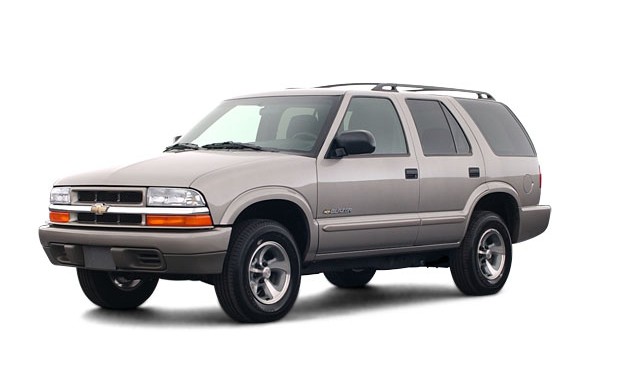
Well, today I fixed yet another problem with my 2003 Chevy Blazer 4 Wheel Drive — Friday past, my in-dash 4×4 controls stopped working and hence I could not engage 4 wheel drive. Of course, these things will always happen at the most inconvenient time.
I had to drive to Ottawa, ON (about 5 hours from me) last Friday and, as luck would have it, encountered an ice storm that made driving very treachurous. So, I thought it would be a good idea to engage 4 wheel drive… I pushed the 4 wheel high button and… nothing. No lights on the dash and no 4 wheel drive! What?
I pulled over and checked the fuse — everything was good there, but I decided to change it just in case. Still nothing. After trying everything I could think of, I just had to deal with it and continue on in 2 wheel drive. Every car I passed in the ditch, I just kept praying my 4 wheel drive would come on… but no such luck. The real pisser here is, I tried it that morning and all was fine… now, when I need it, nothing!
Anyway, skip forward… all went well last weekend, but I still had a broken 4×4 to deal with. And, as if Murphy hasn’t already done enough, it’s the holiday season and most places are only open a few odd days. That made things difficult when I found out what I needed to look for!
The problem, as I discovered, was corroded wires in the 4×4 module. The module is located behind the kick panel on the passengers side (see picture below). How did I know this? Every time I would engage my 4 wheel drive, I would hear a “click – click” coming from that area… never thought anything of it ’til now! When it stopped working, I went searching… first behind the glove box, but I could clearly see that the only relay (the things that make that “click – click” sound) there was for the signals (turning on the hazard lights confirmed this as you will be able to clearly hear the relay, not to mention feel the click if you put your hand on it).


It only took a few minutes to locate the module and the problem was clearly visible after removing the module from the frame to have a closer look. The wires/plug connector were badly corroded on a few pins — which led to two broken wires (pin #1, grey w/ black and pin #6, orange).

OK, so how the heck am I going to fix this? I can only imaging what GM would want to do (read as “harness replacement”… $$$$$$$$$$$$$$). And from asking around about obtaining a replacement plug, my only option would be a scrap yard. Upon talking to a couple yards, they apparently take these modules out ($$$$$$$) and simply cut the connector off and sell it with the module. So, that really only leaves me to a scrap yard that lets you walk around… and haven’t removed the module… don’t wanna go there. 😉
Plan B… I’ll try my local electronics store and see if I can get a few of the female ends (metal clips on the end of each individual wire… there are about 30 wires, I didn’t actually count). Again I hit some obstacles. I was told that the clips could probably be found, but they would need a sample to send off. I’ll keep looking.
At the last place I tried, I did find a female connector that would do the trick… it just didn’t have the tab to hold it in the main connector (each individual wire clips into a spot in the main connector). I thought I’d give it a try and see what I could do (the plastic bag you see in the third image contains a couple more spare connectors in case it ever happens again… I’ll know right where they are!).
After cleaning up the corrosion on all remaining wires, and cleaning out the main connector, I stripped and attached new clips to the two broken wires and stuck them in the main connector. OK, now I just need to make sure they don’t get pushed out when the connection is made… how? Hmmm… how ’bout hot glue? 🙂 I actually plugged in the main connector to the module (after sealing it all up with dielectric gel… which would have prevented this in the first place) and then inserted the wire into pin #1 and made the connection, and the same for pin #6.
I turned the key in the ignition… Houston, we have ignition! Yahoo! I pushed the 4 wheel high button and heard the familiar sound of the 4×4 module relay and the transfer case motor… wonderful sounds!
So, I have everything working… time for the hot glue. I put a dab of glue down the top of pins #1 and #6 to hold them in place, let it set and tried to pull them out. I was quite pleased when they held, that’s for sure! I mounted the module back on the frame, reinstalled the kick panel and my 4×4 was back in business.
Total cost — twenty cents (a little dielectric gel and about a half hour labour). I’d love to see an invoice for a comparable fix by the Chevrolet dealer!
When I get more time, I’ll tell you about all the other things that have gone wrong with my Blazer since the day I drove it off the lot, with 12 KM on it. It is, as so many other blogs I have read from Blazer owners on the web, the story of a lemon.
UPDATE (finally – 07/03/07) — added images
UPDATE (12/04/07) — added schematics


Here are some more images of the TCCM. They are not mine, but I honestly can’t remember who sent them to me at this time (I just found them while cleaning up the backend of the site and didn’t know they were there.). If they are yours, let me know and I’ll post photo credits. Thanks!
UPDATE! They belong to user jstn998.


Comments
141 responses to “’03 Chevy Blazer — where’s my 4 wheel drive? (UPDATED)”
Picture of kick panel? What picture? What is a kick panel?
OK….I just lost my 4WD trying to get over the snow in front of me in my parking space at work this morning. I got stuck bad four times in the last 1/2 mile before home and finally had to walk the last 1/8 mile. It took me two hours to get home (about 5 miles!!!). Maybe they should have plowed the roads??? My one son in law thinks I may have tried it in reverse. He has a Ford that won’t allow 4WD in reverse. Is Chevy the same way? I remember having it in 4HI then trying 4LO but at one point both lights were blinking now they don’t light at all. I just used 4HI a few days ago but never tried 4LO until today. I read all the reviews about American vehicles and like a fool I bought this Blazer because it seemed like a good deal. I’m still trying to figure out some of the electrical problems out. Our great car companies thought they were going to sell junk forever and we were going to keep buying it. WRONG!!!! This is my last American car until something changes. Just this week I junked my Pontiac with the famous Quad4 engine that broke a connecting rod twice.. A couple years ago I scrapped my Dodge Caravan after the trans mission EXPLODED twice. And I do mean explode! NO MORE GM, Ford, Chrysler!!!
my issue is I can not dis-engage 4×4 in my 95 four door Blazer.
It is stuck in low.
I tried running in reverse ( worked for my friends 95 Blazer)
disconnected battery ( figured it might be electrical)
I need to know is this module you describe in the floor?
Or below the glovebox?
the reverse ‘seemed’ to work but the engine revs up to 2000 rpm and does not go very quickly. When I do get to 25 mph it drops into 4×4 AGAIN!
Argggg.. Could it be the cold? It has been below freezing for two weeks now and to compound the issue I have no heat either in the vehicle.
Any help appreciated as I need vehicle to work.
I have a 2000 blazer, and had the same problem as you described. I took the kick panel off, tightened up the wires, and it worked!! Thanks so much for the insight and guide.
On my 2003 Chev S-10 with 6cyl automatic, I had to have the 4WD control module replaced once because I couldn’t make it shift into 4WD. Now about a year and a half later I am having the same problem. I have located the unit in the passenger area next to the front door, and here are all of the numbers which are printed on the unit: 25784 11:03-03
15741322
TV8N0723339808 . My problem here is that I cannot locate a replacement module anywhere, not at autozone.com, partsamerica.com, napaautoparts.com or even acdelco.com . Nobody is listing a module relating to four wheel drive or transfer case. If anyone can help with a supplier of this part, please email me at WeinCellar1811@aol.com . Thankyou, Dale
Okay so I got the kick panel off.. and yup, being i sunk half my truck lol, it is indeed corroded. I got the box off the frame but now i cant seem to get the main plug off the box its self. the Orange plug wont Unplug. and all those little wires they are supposed to connected right?.. i actually see one wire completely out of the main plug. cant see where it belongs tho because i cant get the plug off. Idk any help would be great.. and those pictures you said you were going to take would be awesome.. Thanks.. Jay
Ok So scratch that last comment. Now im Stuck in a different spot. got the module off and all is fine. my problem here now lies in the plug. there are 2 wires disconnected. And i cant figure out what spot they unplugged from.
I have no vacuum at actuator under the battery. When I put car into 4 hi I can hear something center hood “running” for several seconds. Does this indicate the tccm is ok?, The vac hoses run under what would looks like a distributor cap. This seems to be where the running motor noise comes from, but I can,t reach under there far enough to check for breaks in the vac lines. Can I safely start dissembling the ignition system to get at lines?
Since October is prime fishing time on NC Outer Banks and 4wd is a must, can I manually put vehicle in 4 hi by pulling the cable that goes into actuator? for a temporary fix. Back diff seems to lock but is hard to tell around here, too flat and too dry.
Thanks, John
Kyle:
I had the same problem on my 2000 sonoma. The dash lights on the 4WD switched did not light up.
I punched in the part number on Google and found your site.
You called it right – pins 1 and 6 wires corroded and broken. I couldnt get the terminals on time, so I cleaned out the connector, also cleaned the pins, stripped off some fresh wire. Then, I put the harness back together, leaving out 1 and 6. I then inserted the newly stripped wire from the back side of the connector, then packed in aluminum foil down into channel 1 and 6. Works great.
Thanks for posting – repairs like this save lots of time and money – total time to repair about 1 hour. Research time – about three.
Have agood one – Pablo.
Hey Kyle,
Same thing as Pablo above. Your blog helped me so much I cant thank you enough. Just a little tip, I couldn’t find any terminals at the electronics stores that would fit this connector, so I rigged some computer terminal wires and they fit just fine, no glue needed either. You saved me a “bunch of money” and I didn’t even have to switch to Geico.
Thanks.
Kyle….any idea where i could get my hands on a schematic for the vacuum system for the 2003 Blazer? I have a heater issue that i believe is tied to the vacuum system. After the truck is warmed up, under 40mph, the heater blows cool air, then at highway speeds it’s hotter than blazes! any thoughts?
if you go to a website called blazerforum it is extremely helpfull to nearly any issue you may have
Thanks, Jamie.
Here’s the link –> BlazerForum.com
Kyle
could i get a copy of schematics so i can see how to test the voltage at the tccm plug something that will show me what all the wires should read at
Hi Jamie;
I didn’t realize I had lost the links to the schematics as well during the conversion. What I have, I have added back to the article at the top of the page.
I hope this helps!
Kyle
I have a 1999 Blazer LT that I am trying to get to engage in auto 4X4 or 4hi. When I press either button the lights blink as though it wants to go into 4 wheel drive but then it goes right back to 2hi. Can you tell me what my problem is and if it is an easy repair? I hear no noise while I am pushing the button, just the lights blink and then return to 2hi. Can anyone help me?
Thanks for the great pointers. I was able to figure out some of your more basic tips and verify that my front drive shaft is turning while in 4wd but not in 2wd. So far so good (it seems to me), so I’m investigating using my newfound knowledge re. vacuum lines etc. I was wondering if you could provide a bit more info with respect to the diaphragm that pulls the cable to the differential. I’m totally new to this and probably won’t dive too far, but it’s snowing here and the 4WD isn’t working, so I’ll hold the darn cable tight with vicegrips for a few months if I have to!!
Kyle,
I have an ’02 Chev 2500 with a manuel 4X4 shifter. My problem is that 4hi won’t engage. 4lo seems to work just fine, axle engages, lights on the dash come on, I can hear front axle actuator engaging, but when I try 4hi nothing seems to happen. It feels like the gears are engaging in the transfer case but I don’t hear the actuator engaging and the lights on the dash don’t come on. Any suggestions?
Hi I just bought a 2001 blazer with 34000 miles on it when I got it home I tried to get in 4-wheel drive but all I can get it to do is blink the lights on the dash, when I press the 4lo the trans goes in to 4lo but the front axle does not engage so whats do you think is going on. thanks Jon
I have a 2000 Blazer also, and what a suprise have no 4 wheel drive haven’t scinse last winter, anytime it was really slushy, or wet snow, you know when you need it, it would never work the next day it would, first it was the wires in the dash, they were cleaned put back together it worked..for a day or two, then the module, took it apart the whole thing…that worked for a while, now it’s something else…not the module it’s been checked, anywhere else on this thing that could cause problems with 4 wheel drive…used a test light there’s power there, although the lights don’t come on…please help the snow will be falling soon, and I hope this winter I might have the 4×4 I payed for…
I had someone help me and found out that the blazer had two problems. First, the hose from the vacuum actuator that goes to the firewall had a hole in it. Secondly, the switch on the encoder motor was bad.
Thanks for your help.
Although, I would like to get the wiring schematic from you, if your able to get one.
Thanks again
Hello again got my blazer out of the shop at one time the battery leaked out on that switch under the battery there for it wasnt telling the transfer case to engage got it repaired labor and parts 140.00 thanks Jon
I just wanted to say that your site gave me the most insight to my problem and I also want to say thank you! My transfer case wasn’t completing the shift into 4WD Hi/Lo and the buttons were blinking. Last summer I performed a tune up on the truck and noticed that a vacuum hose was worn. I didn’t think anything of it except that my floor heat was probably going to blow in my face. The fix that I performed in the parking lot of the local auto parts store took 5 minutes and the vacuum coupler tube only cost about 75 cents. Thanks again for saving me a butt load of money!
4wd will not engage? The lights on the dash dont blink, they are lit as if everything is normal, but no 4 wd. I checked all the fuses and they are fine. Could it be the vacume are something else?
?? 1999 Blazer 4×4. When I try to engage 4×4, fuse under hood, “ATS” blows. Replace fuse and try to engage, blows again. Any suggestions??
Jim Frohner
I have a 2001 Chevy S-10 unpredictable 4X4. The lights on the dash will blink when pushed, but nothing happens and it goes back into 2 wheel drive – my usual routine is to disconnect the negative battery cable wait for about 15 minutes reconnect the cable turn the truck on and push the 4HI button – this may work to put the truck in 4X4 mode 1 time or the fix may last for a month with no problems with switching from 2 to 4 wheel drive and back, but I never know when its not going to work. Any suggestions as to what may be going wrong? Your site is very informative. Thanks.
I don’t know if you still have this site or not. The posts that I looked at
were from 2005 I think. I want to thank you for your time in keeping this
information on line. I had no 4wd in my 1998 s10. Your post said to check
several things and the 4wd actuator was my problem. Again, many thanks. Saved me $$$ for repairs. THANKS
Kyle, you can post as you like.To add info, my dealer was talking about replacing the 2 computer modules associated with the 4wd, They said same as when they replaced them in ’05 that both would have to be replaced at $1060 plus tax and that was a mininum. Again many thanks for your information. My 4wd is working now thanks to you.$60 for parts and one hour to reinstall. Ron bobbitt in West Virginia
i have a 2000 chevy blazer sport model. my 4wd has worked fine up until we had a snow storm and i was trying to get back home on a hill. i attempted to engage 4wd hi by pressing the button, but nothing happened. i put it in neutral, pressed 4hi, and the lights blinked but switched back to 2hi. i pressed the button for 4low, and it switched and i was able to get up the hill. any ideas?
now that i have the blazer on flat land, i tried to engage the 4wd “on the fly” and nothing happened. i put it in park, and again nothing. the only way to engage it (no buttons flashing at all when in park or drive) is to put it in neutral, and again only will go into 4low.
i will check out the TCCM problems you mentioned. thanks!
Hi I have a 97 sonoma zr2 the 4hi works but going up hills it wants to slipp (loses power at hi rpms.) The 4lo light justs blinks all the time never goes in just goes back to 4hi. I here the clicking with the TCCM and I also hear the encoding motor working also.
Hey I have a 99 s-10 that is stuck in 4wd. It will shift from 4hi to 4low no problem. But will not shift to 2wd. The lights 2wd, 4hi, and 4low lights work properly. What should I look at? thanks, matt
Searched the Internet and found your site. My 4 Wheel Hi Light would flash for a few seconds and switch to 2 Wheel Hi, I followed you advice and found 2 corroded wires at the 4 wire connector on the T.C.C.M. which I cleaned. My lights would now flash and not switch back to 2 wheel hi.I went further and looked at the Vacuum Switch as suggested in your blog. I connected the vacuum lines together (while the 4 wheel light was flashing) and this engaged the 4 Wheel System. I reconnected the vacuum lines, lightly tapped the Vacuum Switch and it began to work like new. My guess is that the switch stuck due to lack of use. Without your blog the car dealer would be spending my money about now. Thanks!
i have a 1998 blazer and i have a similar problem to the rest of problems above. My 4 lo will work. and i hear the module click when it moves into 4lo. but when i try to move into 4 hi the lights flash and then goes directly to 2hi. i was wondering if you can plaese help?
My service 4WD light came on, and the push buttons on the dash to activate the 4WD will not work. I checked all fuses in both panels, and the wires in the TCCM harness. Everything checked out. What next?
I have a 98 Blazer, my 4 wheel drive a few months back would engage while I was driving in 2 wheel drive, causing a loud grinding or clicking noise, but when pushing the 4 wheel drive button the clicking would stop. I’m thinking that the 4 wheel was not fully engaged, caught between 2 and 4. Anyway I went to go use my 4 wheel drive the other day after snow and I hear the shafts engage but have no 4X4 at all. Could I have damaged the transfer case or wiped out the splines on the CV joints. How do I fix it and what much do you think it will cost. Any help would be greatly appreciated I should have took care of the problem when I heard the grinding noise
Hi,
I just wanted to say thank you for having this information posted on your blog. The info you have was a very big help is solving my problem. I have a 2001 Chevey Trailblazer 4×4. I was trying to use my 4 wheel drive this winter, and all I could get were blinking lights. My 2 wheel drive would engage but not my 4. I read about the tccm and the vaccum switch and to my certain amazement the vaccum line had broken off the switch. I fixed this issue and now my 4 wheel drive is working again. The info you posted saved me a trip to a dealer!!!
Thank You,
Greg
I have and 2003 4wd blazer. When I engaged 4wd, the light will come on instantly but the 4wd will not engage. I hear the TCCM click when I engage and disengage. I also hear what sounds like air leaking when the drivers door is open and 4wd is engaged.
Hi it is scott again. You told me earlier that it was the ecoder motor. is there another name for that or what is it and where is it located because i have never heard of it?
And i cant use test pins 26 and 29 because mine only goes to 16. but there is a two side labeld c and d on the module connector. What am i suppose to do here.
Hey Kyle,
I ment to mention, I had my transmission rebuilt 2 months ago and the 4wd worked then. I put my Blazer on jack stands and began tracing the hissing sound (air leaking?). I’ve discoverd the hissing noise is coming from the transfer case. I can here the encoder motor activating and deactivating. I wonder if the mechanics did something to the transfer case during rebuilding of the transmission. Anyway, what could be making this hissing sound in or near this transfer case.
Thanks for you help
I have a 2000 Blazer 4wd. When I engage the 4 wd it goes into 4wd hi ok but after about 30 seconds the service 4wd light comes on. and it will not go back to 2w hi. thanks, great blog.
Greetings. Here’s what I got. If i press the 4hi button, the indicator lights up saying it is working. If I put the truck in neutral and press the 4lo it lights up as if it is working. Neither one seems to work as I got stuck in my driveway. Please help.
My sisters 2004 Blazer kicked out of 4-Hi one day while driving in the snow. She couldn’t get it to work thereafter. I found that 4-Lo worked while in neutral, but if I selected 4-Hi I’d hear the relay click in the TCCM, the LED on the switch would flash on, but then it would go to 2WD.
So, I tried what Sam mentioned above, and also read in other message boards… to disconnect the battery for 1/2 hour to reset the computers. Low and behold, it works perfectly now. How long it will last I don’t know… If anyone learns more about this problem, it would be great to learn what is going on.
Good Luck,
Sven
Hello, your postings seem very informative so i figured i would pick your brain for a sec. my 4wd would not come out of 4hi and i would get dim lights and hear the encoder motor wind up when i would try to engage it. several people told me that it was most deffinetely the encoder motor. so i tried to change it and when i did it put the transfer case into nuetral and the car goes nowhere and on top of that the 4wd error ligth on my dash will not go out.
should i be unplugging my tccm and resetting the system after i change to encoder motor. i thought it was a transfer case proplem because i thought it was binding up and not letting teh encoder motor start off in 2wd. so i just spent 7 hours on my back yesterday changing the transfer case just to find out that it is suppsed to be that way. i am out of my mind rigth now and that has to be one of the worst mechanically involved jobs i have ever been involved in.
so now i have a new transfer case and and a brand new encoder motor that i cant put on because it will not come out of nuetral on the trasfer case unless i shift it manually. and because i have to leave the encoder off the front axle wont engage because its not getting the rigth message.
please help!
I have a 99′ S10 Pickup and 4wd works fine but the front drive shaft will not disengage from the axles when switched to 2wd. Basically the transfer case is switching from 4wd to 2wd but the front axle is always engaged. I traced the cable cable back to the vacuum actuator under tha batery and found that the cable is not bound up but the actuator alway has vaccuum to it regardless if the vehicle is in 2wd or 4wd. It looks like the vaccuum is coming from a module on the transfer case but I was not sure how it all worked together. Anybody have any suggestions? I don’t have a service manual for the truck, but am not opposed to buying one if it has a good section on trouble shooting the 4wd system.
Thanks
Dan
First off let me start off by saying if it wasnt for this blog i probably wouldn’t have any idea where to start in trying to fix my 4×4 issue. Like many other ppl on this blog i am having an issue trying to engage my 4×4. When i push the 4Hi button all the light does is blink. Following ur advise i checked the harness for any corrision and was amazed to find very little at all so i moved on the the vacuum switch. I found there that one of the hoses seemed to have ripped from the switch and it is no where to be found. Its the top hose and i was wondering if you could give me some insight as to where this one hose goes. Any help would be much apprecitated. It would make sense to me that if this hose was missing so would be my 4×4 lol. Thank you sir!
Hi Kyle. I can’t thank you enough for this site! It saved me tons of time and money trying to figure out why my 4wd wasn’t working. I checked the TCCM, repaired the wires…still nothing. Checked all the fuses and….problem solved. Thanks for helping me out! I’d like to return the favour. If you have a real estate question or one about renovations, just let me know.
Thanks again!
Blair
Thanks for the extra pointers. I ended up just taking it in to the shop because I was in over my head once I got beyond seeing the shaft turning and the need was urgent (truck doesn’t drive worth a darn in ANY amount of snow w/o 4wd).
They ended up deciding my vacuum switch was shot and when I went back the new switch still didn’t do the trick, so they figure it must be the actual pushbutton assembly on the dash. ugh. No idea what that’s gonna cost, but I bet it’s spendy. On the bright side they showed me where the switch was and how to manually enable/disable 4wd by splicing the vacuum lines together with a snippet of brake line 🙂 Works like a charm in hi and lo now so that seemingly rules out the rest of the system. I was tempted to just manually join/unjoin the vacuum lines until Christmas debt is paid off, but I feel obligated to let them finish the repair now that the pushbutton is in.
Awesome blog thread!
HEY GUYS GREAT BLOG! i have a 2000 4×4 chvy s-10 blazer. (if its even worthy of being called a 4×4) same problems pretty much as everyone else…dash lites blink, i can hear the transfer case motor clicking and whining, but no 4 hi…4 lo works fine…sometimes both high and lo indicater lights will glow and the trans will seem like its slipping….then after i reverse and drive again it will finally slip into 4 low…already replaced the push button, and the differential motor…still same problem… my mechanics dang busted on what to do….i read something above about the mode forks being made out of plastic and wearing out allowing the gears to float…and something else about GMs design flaw… how do i go about seeing if there was a recall or something so i can get my pos fixed. us mountain boys up here in the do need all 4 weels turning at once. specially during this time of year.
Im posting this because recently i have worked on two s10 blazers with the same problem and everyone kept telling me to check vacuum and and the acuator. First off both of them the 4wd light would light like it was working but the front axle was not engaging i checked the acuator and it was working so i jacked the vehicle up and tried to manualy engage the axle with no luck. So i decided to pull the axle tube off the passenger side and check the locking hub. Pieces of metal had fallen out. Too my amzement both blazers had the same problem it was a thrust washer that that goes behind the axle courier connector works like a spacer. You can only buy these from a dealer the come in whats called a washer kit $10.40. Im posting this too help anyone out who has exhausted themselves looking at what everyone tells them too because the problem could be internal in the locking hub. I have a diagram if anyone has a similar problem. Ill send it to you if you email me at wildman510@yahoo.com
UPDATE — Josh emailed me back with the following information — thanks, Josh!
what is it with this number 1 and 6 pin lol awesome information kyle i read your stuff went out pulled it apart and sure enough that was it my 4wd is up and running now im getting a for sale sign because im tired of working on this thing lol thanks jay
I have a 1998 S10 Blazer with no 4wd.I checked The tccm,diaphram,and encoder motor which all seem to be working properly.The switch on the dash doesn’t flash ,it lights up like it’s supposed to do as if everything is working properly. The only thing i couldn’t find was the vaccuum switch on the firewall. Any suggestions?P.S. great forum!
Hey all!! First off, I cannot lock into 4×4 while driving. My 2002 S-10 Blazer has the 3-button 2-hi, 4-hi, 2-lo. I, when playing around trying to get it to work, found that in order to engage the 4wheel drive I must first put it into Neutral (when completely stopped), then push the 4-lo, then go back to Neutral and push 4-hi. I cannot directly push 4-hi. It will only go into 4-hi after first being put into 4-lo. And sometimes, after getting it into 4-hi it takes a few tries before it wants to kick back into 2-hi. (very odd situation overall)
I checked the wiring harness behing the passenger kick plate and it is fine and in tact. The wires are all making contact.
If I push the 4-hi or 4-lo when in park or drive, I get nothing. No clicking, and the light will not light up. But If I do it from Neutral like I just explained, it works like a charm and the lights work as well.
Any Ideas? No one else seems to have had a problem like this from what I have read. I appreciate any feedback.. Does it sound like a vacuum problem somehweres?
Hey Kyle (and readers)
I did recheck the TCCM and the wires were all fine and intact.
However, after playing around some more, I found that there was a bad vacuum switch on top of the transmission behind the transfer case. (I have been trying to post pictures.. but it isn’t letting me.) — see below!
What it is is a nut no larger than my thumb with 3 vacuum lines into one end and what seems to be a spring loaded ball on the opposing end. The one that I took off my blazer I can easily press this ball in and out of the casing. The new one I put in it next to impossible to press in. The end with the ball gets screwed into the transmission and it looks like the vacuum system controls the movement of that. (from my guess)
I paid $39.95 for the part and $45 labor.. total of $90.05!!
I probably saved hundreds if I would have gone to a dealer. I would have done the work myself, but I do not have a lift and that little part was a pain to access, or even get it out for that matter.
Thanks for your input, it was a great place to start. I hope this might be able to help any others with similar situations.
I have a 2001 S-10 with no 4wd. I can hear the transfer case engaging but nothing happens. checked the vacuum lines and there doesn’t seem to be any leaks. No problems with the actuator either. The actuator seems like it is pulling the cable connected to the differential. The cable connects to a “pin” on the differential. With cable disconnected from the “pin” on the diff. I can manually move it in and out less than 1/4″ in. This should pull out or push in closer to an inch or so right? Could this pin be flanged on the other end, not allowing it to pull out, or is there some other problem. Should I even open the diff. or just replace it.
all indicator lites work and indicate 4wd is engaged or disengaged however no front axle engagement. i can hear the relay fire and hear what sounds like normal gear shifting in t-case. i removed battery and looked at actuator below appeared not to be corroded any help would be appreciated thanks josh
I am having some issues with my 4WD and came accross your site which helped me out so when I managed to get hold of these documents I though I would share them with you.
Thanks,
Ray.
Well after alot of time on my 2001 Jimmy 4wd system I am still stumped. Started with a clicking noise from front end so I checked vacuum actuator and it’s doing it job now that I loosened up the cable. Truck will not go into 2hi or 4lo so I pulled the control module and checked wiring. Large orange wire on power connector was covered in corrosion and one wire on 32 pin connector was corroded. Fixed that and still no 2hi. When I attempt to change from 4hi to 2hi I can hear the encoder motor & vacuum solenoid on the firewall do their job and also the control module clicking so I presume it’s doing it’s job. I have 2 lights on dash causing worry, ‘Service 4wd’ & ‘ABS’. Would the abs system fault prevent it from going into 2hi? I know your not a mechanic but have you any info for me?
Regards,
Ray.
The entire panel on driverside jsut stopped working. No power windows and no door locks. Also can not operate other windows. Where are the fuses for these? The box under hood does not say anything about door panel or windows.
great info on your site you saved me large amounts of cash$$$ turns out i had a bad actuator and was able to easily swap out the old part for new..never would have known where to start otherwise thank you josh
Hi Kyle,
I have a 2003 chevy blazer and have no drive to the front axle. When I push the buttons the tccm clicks, the buttons light and stay lit you can here the motor on transfer case run (for a brief time) and no power to front axle. I removed the battery tray found the diaphram and it is working. could my problem be vacuum? I guess I didn’t look hard enough because I didn’t see the vacuum switch by distributor and it’s pretty tight in there . Any suggestions? Thanks,Tim
I also have a 1999 blazer. The 4 wheel high button light is flashing all the time. The 2 high flashes if you push it and then goes off. the 4 wheel drive indicator on my instrument panel isn’t lighting up and I don’t think the 4 wheel drive is engaged.The TCCM clicks and we can hear a motor running if we push the 2 high button but the 2 high light flashes and then goes off. I can’t get in to a mechanic for several days. My husband and I would like to know If we unplug the wire harnesses from the TCCM and leave them unplugged till I can get to the mechanic, will that harm anything? Thanks for the help
I have a 1999 Chevy blazer. a couple of days ago, my 4 wheel high indicator light came on and flashes constantly and the 2 hi light is off. The indicator light on the instrument panel doesn’t come on and we don’t think that the blazer is in 4 wheel drive. However, when I push the 2 high button it flashes and I hear a click click and a whir of a motor, then a click click and it goes back to the 4 high button flashing again. We have checked fuses,(all ok) the TCCM had a little corrosion but all indications are that it is working. One vacuum line was broken and we repaired it. We are not sure about the vacuum switch working correctly or not. I can’t get into a mechanic for several days. What we would like to know is: Can we unplug the TCCM and drive the car safely until I can get it to a mechanic? Thanks for your help
Kyle: Thanks so much for this web-site. It was key! I had a 1997 Chevy Blazer (4 wheel drive not working) only 2 wheel drive dash light on. I was looking at the actuator, and/or replacing the TCCM, but with the information I read on this web-site, I replaced 2 fuses , reset the TCCM, and bingo! It worked! Thanks for such an informative web-site.
Hi Kyle , My pickup has three button set up[2hi 4hi 4lo] It won’t shift into 4 hi on the fly or sitting in neutral.If press the 4hi button in neutral sitting still 4hi&4lo lights both blink then go back to 2hi moving nothing happens. It will go into 4lo stopped in neutral.Occasionally in neutral if I press 4hi and put it in gear, after I start to move it makes a bang and goes in but once I take it out it usually won’t go back in.
I just replaced the Oxygen sensor on my 04 Blazer (which has been an electrical nightmare from the start). I got it swapped out fine but I was wondering if someone could tell me how to get the damn check engine light to go off now? Thanks
Thanks for this site. Hey kyle, I have a Chevy blazer LS and my 4WD does not work. when I press any 4WD button I can hear a click sound and the light associated with the button I pressed lights for a second or two and nothing happens. Per your aforementioned advice, I have checked the module to see if there is any visible corrosion but there isnt any. have any idea on how to fix this??
Hi Kyle
I am having a problem with the 4×4 on my 2001 Chev Blazer. I was checking out your blogs and I picked up a few tips on the problem, but I still can’t seem to get it too work. At first it was making a clicking sound so I took it in to the shop and the mechanic managed to get it to go back into 2HI but right after that when I tried to switch from 2Hi to Auto trak it went right back into 4 Hi. So I parked it and pushed on the buttons and all of a sudden the service 4 wheel drive light came on, so I got frustrated and left it like that and today I was checking the net and I found your site and like I said t the begining I tried a few things and the servivce light came off but I still have no lights on the switches. So I am stumped if you have any suggestions I would greatly appreciate the feed back cause this is driving me NUTS
Thanks
Lenard Mercredi
Kyle: I have a clunking noise when in auto 4wd, 4hi and 4lo. The transfer is a np 246 is this case chain driven? Or could it be the bushing and fork that you described?
Im trying to track down my 4×4 problem. I have all lights on dash,TCCM connector is good and when I switch to 4 hi and lo I can hear the transfer case engaging and when I go to 4 lo and put in gear 4 lo works to the back wheels. Now Im trying to figure out my vacuum problem which I assume is the problem. I found the vacuum lines running to center firewall mounted switch. Now right near drivers hood hinge there is a couple of vacuum tee’s and one has a short piece of hose running towards the fender with a screw in it. My question is should there be a resevoir on the drivers fender area where this line should have went to? There is no way that GM put a sheetmetal screw in it. My friend has a 95 blazer and there is a resevoir un the bottom of hood. What am I missing. I can send pictures if needed. Thanks in advance Shawn
Sorry it took so long to get back. I repaced the encoder motor and all is well, working like a charm. You were right, if you disconnect the moter and try to engage, the dash lights up “Service 4X4.”
Thanks again, Jim Frohner
First I have to say that this blog rocks!! I think you are doing an awesome service. I have read many of these problems but have not found one that matches mine exactly. A while back had the classic encoder motor problem where the truck would go into 4-lo or 2-hi, but would flash and default to 2-hi when 4-hi switch depressed. Well check vacuum actuator under battery, Tccm, encoder motor plug,etc and all was fine. Because my battery was disconnected the DTCs were reset and lo and behold my 4WD was working again. When 4wd was disengaged i would get a whirring noise out of the front end, like 4wd wasn’t fully disengaging the front diff. I would stop the vehicle for a few minutes and it seemed to go away. The other day, on the way to work the noise wouldn’t go away, so i tried putting it in and out of 4-hi a few times, until it blew the fuse. Replaced the fuse and immediately blew again, I was stuck in 4-hi. Came home that night, tapped on the transfer case and encoder motor with a rubber mallet, replaced the fuse and 4wd worked. Put truck in 2-hi and no noise. Started the truck yesterday and the fuse was blown again. Finally went and bought an encoder motor and replaced it this morning. Now nothing seems to work but TCCM(which seemed to work fine before). Press 4-hi button, and TCCM clicks about 5 times, then defaults back to 2-hi. Same thing in 4-lo. After trying this about 5 times, it won’t even try to go in 4wd, just clicks and stays in 2-hi. Pull battery and it resets but goes back to the same problem. Remeoved the Encoder motor and reinstalled, no luck. Any ideas?? Do you think I got a bad encoder motor from parts store? I don’ty have enough hair as it is, I don’t want to pull more out. Thanks.
Thanks for the reply Kyle. Due to the time and the temperature outside in sunny Buffalo NY, I won’t be trying anything tonight. I am trying to do everything at work on lunch where its warm. To clear up a few things, I have checked the TCCM. I pulled the cover off and checked the insides and all looks good. Rusty on the out but no sign of corrosion inside the TCCM or the plug. I have visually inspected the EM connector multiple times. I have tugged on the wires, and it appears to be in great shape, no corrosion or apparant broken wires. Since the last post, I have exchanged the new EM with another new one and this one is exhibiting same problem so I am 99.99% sure it isn’t the motor. The old EM worked when I tapped it with the mallet, but only for a short time, basically long enough to get me in 2-hi. Both new EMs have not worked. What is really bothering me is the fact that the new EM is installed and no blown fuse. Yesterday when I first put it in, the fuse blew within a minute of starting my truck. Today at work, (warm in our shop), checked the TCCM plug, pulled TCCM apart to check inside, cleaned anywhere the TCCM contacted the body to make sure it was grounded, replaced fuse and plugged it in. Once again it clicked multiple times and default to 2-hi. No blown fuse though. Cut tape and pulled wire loom off EM plug, and no apparant problem there. Had a helper watch 4wd switch as I #*@%ed with each individual wire and no fuse blew. I haven’t tried the motor off the TC because the sheet with the EM said it would damage it. I know the EM moves freely and I checked to make sure the TC is free too. It moves with a crescent wrench with little effort. So I shy away from a mechanical problem. I am lost and aggravated!! I will try your suggestions ASAP, based on weather and time, and let you know. I want to fix it myself to say I did, but I am real close to giving it to my local 4wd pro and saying don’t give it back til its ready for snow or mudding!! Thanks Kyle for your help, and hopefully I can get back to you with good news.
Hi. My problem is with my 04 Jimmy. I love the truck by the way. Here in Winnipeg it gets to -35 degrees C. overnight and in the morning my 4 wheel drive returns to 2 Hi. It seems that if I plug it in overnight that seems to help. Could a cold start and a sudden drain on the battery making the voltage drop to the TCCM make it return to 2 Hi? It is not that big of a problem because once I return it to 4 Auto or 4 Hi it seems to stay there for the day. Thanks for your help and love your website. John in frozen Winnipeg, Canada.
Hi having a big problem with my four wheel drive it goes into 4 low and 4 high but it jumps out shanking the whole truck and then it will click until i put in back in 2 wheel. I had the front diff rplaced and the cv axles checked for damage but it still does it. Wondering if you could help me out? Thanks
Kyle:
I have Chevy 2001 Blazer. The problem I had is that I can’t switch on the 4Hi. So I went to dealership. The repair costed me $900 to replace the TCCM. The dealer identified the problem as no power to turn on 4Hi. The TCCM model is $748 through dealer. I am kicking myself now. If I had seen your blog first, I could check the wire connection myself!
By the way, the dealer told me that 4Lo typically can not be turned on unless you put the vehicle in the neutral. If somehow vehicle goes into 4Lo by itself, just put it in the neutral position, and you can switch out 4Lo. I tested it and it works. I encountered the similar thing Spencer did and this is the solution dealership told me. A straight forward solution.
James
Hey,
I hope this thread is still alive. Anyway, I have issue getting out of 4HI. I have read all of this discussion and Tried many things. I replaced the vacuum switch on the transfer case(mine was stuck). Then I checked all vacuum lines(some were cracked and I replaced). Pulled the encoder motor and cleaned it/took apart and re greased/sealed. Now, this is my current condition. If I unplug the TCCM, then plug it back in this is what happens. I start car, 2HI is lit and it is in fact in 2hi. When I press 4HI it goes in perfect. If I then press 2HI the 2HI light flashes (and you can hear the encoder motor moving and clicking below) But the 2HI light stops flashing after a few seconds and it stays in 4HI with that light illuminated.
I have found I can get it out of 4HI in one of two ways. If I park while stuck in 4HI and leave the car for a while, when started 4HI will flash and it reverts back to 2HI. OR If I put the truck in neutral, press 4LO (it goes into 4LO) then press 2HI, there is clunk and it goes back into 2HI. If it always worked like this I could deal with it, but after doing this a few times, the truck gets stuck in 2HI and doesn’t respond to pushing any of the buttons unless the TCCM is unpluged and plugged back in. At that point the process repeats itself.Please help if you can!
Thanks,
Rick
So, my four wheel drive use to work and recently stopped. Now all it does is the lights will blink when shifting into 4HI or 4Lo and blink for about 5 seconds then go back to 2HI. I hear a clicking that comes on. What are my possible problems?
First, Kyle, great page! found it trying to find what is wrong with my Blazer. The 4 wheel drive will not engage…Was looking for the TCCM, you answered that question, Moving on to Amy, I noticed that my owners manual answered Amy’s problem, it says that if you eventually end up having to use neutral to help engage… the transmission indicator switch may require adjustment.
Now where the heck that thing is…I have not got that far. Hope this helps all of us expand our knowledge on these great high maintance vehicles!
I may be back with some questions of my own…
got heat going in garage, will start ripping my vehicle apart! Ohh I forgot we are getting a storm of 12 inches, better start shovelin’ best regards Doug
Lost 4 whl drive when switching from 4×4 auto to 4×4 hi..we heard a clunk sound ( i know not good) then only had 2 whl drive from that point on…
goes into shop this week..just wondering if it is a linkage of some sort? maybe u joint? The lights shows that the change into 4Hi is complete and 4 auto also..but just no traction from front wheels..maybe a transfer case issue?
thanks
joe t
Perhaps you can help me. Today I left for work and my truck was in 2HI. About 5 minutes down the road no lights were on, in my 4×4 switch on the dash. I pushed the 2HI button and it lit right up. My truck does go into 4LO as I can hear and feel it engaging. My truck also appears to go in and out of 4HI and 2HI.I found a ice spot on the pavement and if its in 2HI it will spin , but when I hit 4HI I hear a slight clunk and it will take off like its in 4HI. My gas mileage on the other hand is way down. I am short 120 miles to a tank. I think my truck may be coming out of 2HI and engaging in 4Hi by itself.( when no lights are on the 4X4 switch on the dash I believe its either in 4HI or stuck in between. Is there a part that “holds” the transfer case in 2HI, 4HI, etc? Could a small vaccum leak cause this? Say I push the button, 2HI engages and then as I am driving down the road the vaccum losses its strength and disengages out of 2HI?
Sorry for the long post, I just don’t know where to begin. Like I said I think my 4×4 works it just won’t “hold” it in 2HI? Thanks for any help.
hi! to share my blazer story, trying to sell it, and low and behold the “service 4WD ” light came on this weekend, and now unable to activate any 4WD and no lights on. Repair shop said it was the both the transfer case motor and the TCCM….adding up to almost $1000. I really do not want to spend this, and was wondering if you have any ideas. I already took a look at the wires and they seem o.k. the pins looked perfect, and maybe some corrosion noted on the wires, very small amount, and no broken wires…any input would be much appreciated. Also, the repair shop said that the TCCM got corroded and shorted out the transfer case motor….is this possible??
thanks!!
1994 chevy s-10 i have no 4 wheel drive response at all,what can i do ?Bill
I have a similar, but not identical, situation. When I searched the net, I found another similar problem to yours and a reply. I’ll summarize what I found then explain my problem, in the hope that someone might be able to help me. Many thanks to anyone who can.
I found a forum where a guy had a problem where his 99 Blazer would not shift to 4HI. When he pushed the 2HI button, the light flashed but nothing happened. Except that he heard a clicking noise coming from around the front wheels. The person responding said the problem is common, caused by a faulty actuator, and replacing it should resolve the issue. I hope this helps.
Like you, I also have a 98 Blazer but my problem is that it no longer switches from 4-wheel hi to 2-wheel drive smoothly. When I push the 2-wheel button, it continues in 4-wheel drive for about 1-2 minutes. Then, there is a jolt and a noise that feels and sounds just like I hit a pothole. In fact, that’s what I thought had happened the first few times. Instead, this jolt immediately precedes the 2-wheel drive being engaged.
I’ve tried stopping and putting it in park before switching and, although this did work some of the time, not every time. Also, during the time it takes to switch, the truck tugs slightly to the right. Just like it was slightly out of alignment. However, after it switches, the tugging stops.
There is no problem switching from 2WD to 4WD.
Mark Biggerman
Hi Kyle,
Thanks for getting my account working. I still can’t figure out how to upload a picture. Anyway, great site, very informative. Like most here, I’m having a problem with my 4wd on my 2000 Blazer. I think it has something to do with the vaccum, but I’m not sure (been too cold out doors to really get into looking). Sure wish I could find a vacuum schematic. Anyway, on the drivers side, right at the firewall, I have a vacuum line loose. I took a picture, but like I said, I can’t figure out how to upload it. I read in one of the previous comments, that there is a canister on the drivers side? This line is coming off of a tee just in front of the driver going toward the drivers side fender. If someone can trace, and perhaps let me know where it goes, this may solve my 4wd problem.
Best regards,
Jim
UPDATE – 03/07/08
Hi Kyle,
Thanks for the instructions on uploading pics. Can you please add this to my original post. I’d really like some help on this. We are suppose to have about 6″ of snow this weekend, and if this is my problem, I’ll have 4wd for it. The hose I’m referring to is the one sticking out over the fender.
Best regards,
Jim
UPDATE – 03/07/08
Thanks for the pic. Kyle.
It’s 2:30 Saturday, 3/8, and we have 12 inches on the ground, and it’s suppose to snow for several more hours.
Best regards,
Jim
UPDATE 03/16/08
Hi Kyle,
Thought I would give you an update on my 4wd situation. As I indicated in my original post, I had a vaccum line loose. I thought it went to a canister in the fender, what’s more, I thought it had something to do with my 4wd not working. Well, that was the case. I found the attachment for that line on the canister. I acquired a new vaccum line (the one I had was weathered), installed it and hooked it up to the canister. Then I went to a muddy area in a sub-division next to mine, drove into the mud in 2wd. I just sat the spinning the rear wheels. Then I pushed the 4HI button, the light flashed for a second, then came on solid. I pushed on the gas and drove around in the mud like it wasn’t muddy. MY 4WD WORKS! Thanks for your site, it’s great. I wouldn’t have ever thought that vaccum line would have kept me from having 4wd. By the way, my 4LO works as well. Of course it needs to be put into neutral before it will engage, per the owners manual. I’ve attached a diagram I received from the Chevrolet dealership parts department of some of the 4wd components on my 2000 Blazer. It did show me where the canister was and what to look for. Perhaps it will be helpful for someone else in the same situation.
hi kyle, I own a 1995 chevy blazer. within the past week my four wheel drive would not engage, about two weeks ago I just replaced the distrubuitor rotor and cap, plugs and wires. at first I thought it would not engage because of the fuse but the fuse was good. I did a little research online and found out the most common problem – the vacume opperated acutator under the battery tray, so I replaced that and made sure the cable wasent binding or froze,everying worked ok but still no 4wd, so i did a vacume test of the system- 19 1/2 lbs per square inch which is perfect, then I did a vacume test on the hose that attaches to the accuator- 2wd = 0 lbs, 4 hi and lo = about 4 1/2 lbs of vacume. is that 4 1/2 lbs normal opperating range? i can hear the relay click when attemping to switch from 2 to 4 wheel, and i also hear the motor on the transfer case working, so my questin is, could it be the transfer case select switch be bad? or someting called the four wheel drive switch (HERE)? Please help me, i live in syracuse, where it snows ALOT!
hello, i came across your web stite and was impressed. i was hoping u might be able to help me out with my problem. as you can guess my 4×4 does not work. the service 4×4 light is on.i can here a clicking in the tccm. and when i turn my ignitionkey on. my push buttons light for a quick second but then go out. before the 4×4 went out i did have a problem with engaging the system and disengaging the system when i wanted to use the 4×4. any suggestions
Your information has been very helpful, Thanks. My system is acting a little different than the postings I’ve read. My annunciator “Service Four Wheel Drive” comes on about two seconds after the ignition switch is turned on then goes out while starting the engine and comes back on as soon as the engine is running and the switch is released. All four lights on the 4wd selector come on when the ignition switch is turned on and then after a couple of seconds they dim. I have had problems with the four wheel drive in the past and discovered the corrosion at the connector on the tccm. Cleaning the terminals fixed it and another time I had flashing selector sightws and had to change the vacuum valve. The “Service” light Has come on befor but seemed to go out with the fixes. Any advice Kyle?
light comes on when it is put in 4×4 and comes off once you shut vehicle off for 5-10 seconds and you push 2 wheel drive button, any help would be appreciated
Hi Kyle
I cannot download any of the files/documents which you posted from Raymond Dunne (2008-01-03 19:30).
Indication I get is that the files are no longer available.They may have been deleted by the uploader, or expired.
Is it possible for you to relist them? From the titles these documents would appear to be very useful in diagnosing Blazer/Jimmy 4×4 problems.
I thank you in advance.
Les
I am having a problem with my 4WD not going into 4HI, I press the button and nothing happens. I put the truck in neutral and hit 4LO it goes in, then I press 2HI and it goes back. When I have it in neutral and press 4HI both 4HI and 4LO lights flash and then goes back to 2HI. I read that if you jumper pin 13 on the data link cable to ground, then turn key to the ON position the lights on the 4WD buttons flash a code, so I tried it and sure enough a code of 2 flashed meaning motor/encoder failure. I haven’t changed it yet so I don’t know if that is the problem. I am going to check the TCCM connections. Just to let you know there are only 4 codes. The first is 1 flash meaning RAM stand by power to the TCCM was lost. 2 flashes means motor/encoder failure. 3 flashes means motor circuit failure. 4 flashes means TCCM needs to be replaced. I hope this helps you in some way and if I am incorrect please let me know. Thanks Rudy
Thanks for the response to my post earlier, and i had pep boys do a vacuum test on the system and they said every thing was seemed to be ok, so i bought that four wheel drive swith from napa and installed it,(it went into the front axle right where the cable from the actuator attaches), still no luck. so i could see some kind of sensor on top of the transfer case with 3 vacuum lines attached to it, so i replaced i, and once again still nothing, so i have a couple more questions…their is another sensor on the tail pice of the transfer case, i was told it is the speed control sensor, could that be the problem? and do you know if the transfer case would not engage due to low fluid level? i dont want to replace the fluid unless i have to. and would you know how to determine if the switch itself is bad? And do you know how would i tell if the control module under the dash is bad.
Thanks for your time,
Ryan
Hope you still look at this every now and then. My blazer dropped into 4 low after backing out of a parking place at work!! Now I can’t get it to go back into 2WD or 4 HI. It’s stuck in Low range. The electrical box in your thread gives me the all good “click click” when the key is turned. Any suggestions?
i have a 2001 blazer no 4wheel drive lights flash when you push button i changed tccm,motor on tranfer case,acturator under battery need to no what else to look for thank you craig
I was driving in 2 hi going down the highway and looked down and saw my 4wd-lo flashing it stopped flashing on it’s own and stayed in 2 hi. Yesterday my wife went to wash the car and it did shift into 4wd lo on it’s own. I had to manually change it back to 2hi worked fine then like i said i saw it flashing today. What does my problem sound like and how can i fix it and the cost involved and is there a chance when going down the highway at 60 mph plus all the sudden it will shift into 4 wd low and my tranny could get ruined. This is a used tranny I got put in last November.Thanks
i just bought a used 97 blazer 4×4… in Fed. we had an ice storm and i put in it 4×4 hi and the 4lo the lights came on stating it was in 4×4 but i could not tell a diff between it and 2 wheel drive.. this is my 1st 4×4 truck.. how can you tell if 4×4 works or not…. also we got about 5 inches of rain over a night i was already parked in the mud and the next morning i tired 4hi and low again and nothing but spinning my front 2 tires it looked to me as the back 2 were not pulling at all… thats why i am asking this question… i was told that if a truck is already stuck in the mud then 4×4 will not make a diff is this true?
Hi Kyle……..you have a great site and have read just about every item you and your readers have issues with but my wifes truck has the Grand Daddy of problems and if you tell her to sell it she will understand. Here goes….I was allowed to drive her around the other day when I heard what I thought was the blinker going and tried repeatedly to cancel the non blinking lites with no success. After a few minutes the service 4 whl drive lite came on, when we parked I asked if this had happened before and she said yes all the time but it goes away when I park. OK I said. we shopped and came back. I started up the truck and when I put it in drive it gave a strange lurch forward. It had shifted into 4 whl low. There are no lites on the push buttons and it will not shift out using any of the methods in other strings above. The kick space module is impeccable, I even took it apart looking for a cold solder joint, no such luck. The vacuum module under the battery works great as does the vacuum switch above the distributer. I suppose at this stage I will have to crawl under the truck. Or do you think I will be wasting my time? Any suggestions will really help. thanks Bob
Thank you all for this excellent forum. After reading it, I checked ALL the fuses and found #3 for “PK LPS” blown. Changing that fuse got the the 4WD working again.
I have a 2000 s10 blazer and am having issues as well, when I push the 4hi button it will light into 4hi, but pulls severely to the right. So I have not been using ny 4 wheel drive. But when I get into slippery conditions the 2hi light will turn off, it eventually, maybe the next day will come back on, but just an odd thing. Any ideas appreciated. I am pretty mechanical so I understand some of this.
I am so tired of telling people I AM NOT A MECHANIC, that I am closing the comments section of this post.
I post what I have encountered during MY OWN REPAIRS — I post this information and state that, but somehow people never read the posts, yet they leave feedback or comments asking me how to fix something that I know nothing about.
Again, I AM NOT A MECHANIC!!!!!! Got it?
Do NOT use my contact form to ask questions about your Blazer as they will be ignored.
If it is not posted above, I CANNOT HELP YOU — GO TO A PROFESSIONAL MECHANIC!!!!!
The encoder motors commonly fail on the 2002+ autrotrac (4 4wb buttons) blazers and s10 p/u’s. A printed circuit board contact “cooks out” inside the encoder motor confimation switches. Just so you know, the A,B, and C switches tell the TCCM what general shift postion they’re in. the P switch is a singal to the TCCM when to stop the motor (final park postion). I am pretty sure A is 2wd, B is 4wd hi, and C is 4wd low. If you’re a little clever w/ electronics, you can also fix the TCCM problems w/ new relays. I totally ditched all the “electronic control” for the unit. Since I never use 4wd hi, I just manually operate the electric motor all the way when switching modes. Just back the motor up a tick to prevent the excessive shift fork wear. The vac operated front diff used to be operated by powering it w/ a switch. I removed the collar setup on my ZR2 by putting in a old bravada passenger axle stub. This eliminates the sldiing collar all together and makes it a full time front axle. I offroad with my truck and only drive it to spots, so this may be rather different than most people here.
Thanks for this blog! My problem was would shift into 2hi and 4hi no 4lo Cleaned the corroded pins works perfect! Thanks agian.
I really wish I found your blog before I replaced my tccm. I live in Canada and my 4wd stopped working. I have a 2003 blazer and where I live 4wd is an absolute must. I took it to a shop and they could not figure out the problem, so then I took it to the dreaded dealer. They gave me a quote of $1800.00 to replace my encoder motor and transfer case control module. I certainly could not afford this so I took the estimate and found the parts on ebay, then I took it to the first shop and paid them $200 to install everything. I picked up the truck and everything worked great. I wish I had thought to check the connectors as if that was the only problem, then I could of saved a ton of money and probably could have gone on a week vacation. Anyway gotta love eBay, I got the tccm for $300(dealer wanted $550)and the transfer case encoder for $190(dealer wanted $680 for this). Great blog and great work. Thanks for posting
I found on my 1999 GMC Jimmy the best way to check to see if the actuator under the battery was working is to simply pop the headlight assembly out. All you need to get it out is to pull up on the two strips locking it in place. There’s a hole behind the assembly that gives you a birds eye view of the actuator.
Today I am reopening the comments section of this post. As you can read from my comments above, it had become really frustrating that people wouldn’t read what I had posted and would ask the exact same question to me in the comments.
Well, it’s becoming more frustrating getting those same questions over and over and over… but now in random threads! Anyway, the comments for this thread have been reopened so I can, again, reorganize the comments from other threads and place them back here.
Please, read what has been posted before asking your question. Again, I am not a mechanic. What I have posted here are simply my personal experiences. It’s like fixing your plugged toilet, posting about it and now everyone thinks you’re a plumber.
We’ll see how it goes.
my 4 wheel low will work in neutral when you select 4 high or 2 hi you could hear the relay come in. when you hit 4 high the 4 wheel low and 4 wheel high comes on at the same time if you hit 2 high the relay comes on put no light I put the tccm module in to another truck and it works fine.the vacumm actuator only come in 4 wheel low i replaced the vacumm module.I check all the voltages at the module the 4 pins with encodor has the 5 volts on it one of the 4 pin the voltage drop to 4 volts then to 3 volts the other 3 pin drop to 0 volts is ok?when you put it in gear the relay wont come in 4 wheel high or 2 high so i cannot find any thing that control this
I have checked and fixed everything like above. How do I know if my 4WD is working on dry ground with any snow yet?
Thank you for your post on the 4 wheel drive relay connector. I didn’t find it until after I replaced the in dash switch, the corosion was so small you never would have seen it if you were not looking for it. So thanks again Bill Shoner Whitmore lake Michigan
Thats right…
2 Quick visual inspections could fix your problems with the 4 wheel drive not working, flashing lights, wont go into 4whl low. I learned alot reading this blog and wanted to ad the onfo I gained and the results I got in about 30min. from 2 visual inspections.
This first Inspection: Start with the pass side kick panel, remove the panel and inspect for corrosion, loose or broken wires, Clean and repair as needed.
The Second Inspection is in the engine bay high up on the center of the firewall. Inspect for vacuum at the switch and then make sure the hose is’nt damaged causing leaking (Mine was broken off) Excess heat from the engine compartment will damage vacuum hoses and excessive curves or bending will lead to problems with hose decay and failure. I cut off 2 inches and replaced the hose.
That took me about 30 minutes and corrected my inop 4 whl Drive on a 2001 Blazer.
Thanks a lot for the advise!!!
TK
You are a hero to many people! Looking at your blog it appears you have saved people hundreds if not thousands of dollars by helping people fix their 4WD problems themselves. I solved my problem after reading about vacuum leaks. Sure enough the vacuum hose had broken off the switch on firewall. It appears the hose was too short to begin with and was kinked causing it to fail prematurely. Armed with 3 inches of hose and a connector it now works like a charm. Since the system has never worked while I’ve owned it, I have one question. When I push the ‘4WD Auto’ button it takes approximately 10 seconds for it to engage. Is this normal or is something else wrong. It seems to work fine. My only concern is it takes a long time for the light to stop flashing and stay lit.
Regards,
John Boy
I have a 2002 trailblazer lt and no 4wd. Last winter my service 4wd kept coming on and i had to have the tccm replaced. Well now this winter i was driving through a field of course in a4wd and as soon as my front tires grabbed it shut off, service 4wd light came on and dash light stayed in A4wd for about 15 seconds and then lights turned off all together. I brought it in and they told me the encoder motor was bad, ok well easy enough ill just have them fix it. Then i was told that when the encoder motor goes out, the tccm also goes out, is that true? I can deal with fixing the encoder motor, but if i have to replace the tccm again ill be very angry!
Hello,
I have 2001 S-10 Crew Cab. When I push my 4hi or 4lo
switch nothing happins. Now when I put the truck in neutral nothing in 4hi but it will go to 4lo. Then I can push 4hi and it will go in. Then I can go back to 2 wheel. But the only time I can do any of this is when It is in neutral and at a complete stop. Any Ideas. Thanks
Hi, I don’t know if this is still active, but, You are kind of my only option right now. So, when I have my 98 blazer in gear or park, and I hit 4 high or low, nothing happens, but, when I put it in neutral, the high and low lights flash, and I can hear a clunking sounds from under my truck. it will go into low, but, not high, and when it is in low, both high and low lights are on. Do you think that is my TCCM? I can hear that clicking. i looked at the wires, and they all seem fine, none are broke, and I checked the wires on the back of my actual switch, and they seem fine. i even checked the fuses that you mentioned earlier…Still nothing…
Igot a 1999 s10 blazer wont go in 4hi 4lo works and you can hear actutor shift.I have replaced all vacuum lines The vacuum on mine comes off intake to check value then to vacuum switch on transfer case i have 15lbs vacuum at switch. push 4hi button and 4hi&4lo lights flash then it goes back in 2hi Can not hear actutor shift when you push 4hi Thank you Alan
I have a 2003 2dr 4×4 Blazer. 2hi works fine, when I press 4hi, both 4hi & 4lo flash & nothing happens. When I push 4lo works fine, front axel engages but when in 4lo & press 4hi it goes back to 2hi.
Kyle,
I am greatly indebted to you. My new wife’s 2000 Blazer lost her 4wd a year ago. SHe found your web site about the TCCM module corrosion, printed off the information and her mechanic fixed it. He was also impressed.
but… this year her dash light 4wd started blinking, (oh Nooo $$$$), and since we are recently married, (happily I add), I took on the task with the help of your web page.
I cleaned the TCCM contacts, then was able to hear it click, but alas, the 4 HI and 4 LO lights flashed when I attempted to engage them. Rats! Step 2, checked all the fuses.. All OK, then found a broken actuator vacume tube broken near the actator itself. Fixed that.. Feeling good with myself now…but no 4wd. AHHH. Step 3…pulled the battery, the acuator was working. Now I’m thinking transfer case may be bad… mega dinaro, (Oh Nooo again)but in the back of my mind I remembered your 30 minute battery disconnect and flip the key 3 times. Voila!!!
We now have 4WD. My wife is impressed with me and my hat is off to you sir. You saved us big time. Will gladly fund your retirement account for what you have saved us. Let me know how.
Bill and very relieved wife Karen.
I have a 1992 k1500 blazer (looks like a tahoe) and my 4×4 worked fine until yesterday.Ive read most of your posts. do any of your fixes apply to the 1992 blazer? To engage the 4×4 there is a floor shifter and lights that light up after it warms up. Yesterday the light never came on and no 4 wheel drive. great blog, thanks.
Hey, I came across your website while trying to get more information about my 4wd that is not working. My “service 4wd” light is on, but it just came on about 1 week ago. Now I have had this used truck for 3 months now and it has never engaged in 4wd. Now that snow is coming I need to get it fixed NOW!! The indicator lights come on when I start my car but none of them stay illuminated. I had my tccm checked and was told it is good. Any info on what to do next??
well i brought my truck in and told them they could replace the encoder motor, not sure what was exactly wrong with it, they said it was enguaging only half way then kicking back out. well not sure what could cause this, i asked them to inspect all wires to the tccm and see if the wiring could be the problem, and they said that when they fixed my tccm last year they should have also replaced the encoder motor. They did say they replaced the tccm wiring harness also, so they probaably just ripped me off. Not even caring what was wrong with the actual tccm last year i blew up at the guy and got my encoder motor replaced FREE of charge. guess i should have found out what was wrong with my tccm last year before i got mad? Oh well everything is all good now. But thanks for the advice, next winter when it goes out for the 3rd year in a row, ill at least know where to start looking, haha. Thanks again!!
The subject field says it all… I put the truck in 4WD and now it won’t change back to 2WD….
Suggestions? It’s been one thing after another now for 5 years….Im so close to returning it to chevy…. right thru the front window
Great Blog. I have a 2004 Blazer which would not engauge the 4×4. From all the info posted I was able to gather that my problem was not an electrical one. It turned out to be the vacuum line. It is encased in a plastic wire gathering material from the firewall to the front battery. It runs along the engine and then branches off to under the battery. Right at about the front of the engine the casing and vacum line itself had melted in half. Must have worked its way too close to the exhaust manifod. I inserted a small steel tube to each half of the hose to connect the vacume line. This worked. I now have 4×4.
Best Regards to all,
John
Wierd problem w/ my 2000 Blazer. Everything is responding perfect in the “electrics” says it shifts to 4H & 4L. worked perfect a week ago… Now it snows, and I’m stuck w/ 2WD. The indicators are working perfect (flash, flash, flash… Solid light!)
The problem is when I try to go up my hill on a snow covered road the only tires that engage are the rear. I can hear the hardware adjust under the truck between 2H, 4H & 4L – but the front axel(s?) doesn’t/don’t lock in? It did a week ago, when I pulled another car up the street. I’m lucky, because most of my neighbors drive GMs, but it’s going to be embarassing if I need a honda civic to pull me up the street this winter.
Thoughts?
Best way to identify/isolate Trans/Case vs. front gearbox?
I read the blog, Not sure if Vacuume line resolution would apply? Electrics seem all in place. Adjustment needed?
Please help me, If you get the resolution I’ll pay ya!
(I’m sure you’re cheaper than the dealer!)
–Bryce
I have a 1995 GMC Jimmy, the selector and transfer case work. the front driveline spins but the tires are not engaging. is it the actuator or something else. i have never worked on an electronic 4WD system and so am lost. i have read all of yhe posts but am confused as to what im looking at. any input would be appreciated. thanks
Hi Kyle,
I can’t thank you enough for this blog. I got a 95 Jimmy on an impound auction for $320. I got it started, and sure enough no 4 wheel drive. I noticed the dash buttons seemed like they didn’t click, they lit up when ingnition was turned on, then 2 hi stayed lit, thats all I could get them to do. So I grabed onto the 2 wheel button and gave a little tug and it poped right out of the dash. I went to to local junk yard and got one for $10 and low and behold transfer case locks in, in both HI and LOW. still no 4 wheel yet so I did low tech test on the acuater line (blew into hose) air flowed freely so now I get to fight under a truck. If it wern’t for you, I’d still be scratchin’ my head becomming even more bald.
THANKS AGAIN,
Rick
Hi again Kyle,
sure enough the vacume line was bad by the valve cover. I first changed the vacume switch on the transfer case but it was only $16 and I never have to worry about it again. So for $26, and the vast information on this blog, I spent about 2 hours to get it working. Can’t thank you enough.
Rick
ok no corrosion no wetness at all also when i ask it to shift i still here it click at the tccm. Also a new thing I forgot it has to be in nuetral to shift into or out of 4 low when its in nuetral i can also here the small electric motor on the transfer case my next thought is to remove the motor from the transfer case to see if I can shift it maunlly but that involves alot of dissmanlting there’s a lot of things in the way is this necessary. If it is I just might wait untill its warmer there has been very little snow in denver area this year.
I have a 4WD 2000 BLazer that won’t disengage from 4HI. When I press 2HI I can hear the TCCM clicking and the lights flash on 2HI but goes back into 4HI. I also tried 4LO and that does the same thing. However, it does go into Auto 4WD with no problem. I’ve had the switch on the dash replaced (the letters on the old one wouldn’t light up). The vacuum switch on the firewall in fine and so is the vacuum diaphram under the battery. I checked the TCCM the other day and found at least two pins with the infamous corrosion and also corrosion on the female side. I cleaned them off as best as I could. Then I found your blog and read that some wires/connectors could be bad. I will check that tomorrow. Anything else I should consider taking a look at?
I’m in 4 wheel low, this was after a snowstorm , we never have used the 4 wd before.
I have change the dash selector, checked out the tccm module it clicks but will not come out of lo 4 wheel drive, I disconnected the vaccume module in the center of the fire wall.
Still it shows in “four wheel low” I feel my next move is removing the front drive shaft , and pulling the servo shift motor on the transmission , it looks as if the are around 9 wires going to that servo motor, I’m I on the right tranck ? or should I test other things? I have tried to reset the computer, also stood on one foot and jumped around three times ” that didn’t help either” !!!
I would love your input if I may ask?
Randy
I have a 2002 Chevy K1500 that has a problems with the 4-wheel drive system. Initially it wouldn’t disengage the 4WD in the front differential. With a little advice from the local service garage I replaced the electronic actuator as well as the swith for the dash. It goes into 4WD but wont disengage unless I crawl underneath and unhook things to back it out manually. The lights for the dash switch will not illuminate 2WD,4WD-high or low now. Before replacing the switch in the dash it was getting stuck with 2WD & 4WD indicator lights illuminated after I put it into 4WD high. I still had to disengage the 4WD in the front differential manually. Is there anything else I can check before buying the expensive module for the 4WD?
I am working on a 1999 jimmy .I have read your page but have not solved my problem yet so I need your help .The lights on the buttons do not light up at all to show 2hi and nothing happens when you push any of the buttons . When you first turn the ignition on all the lights will light up together for a second then they go out and are NEVER seen again . I pull the TCCM but it and the plug and prongs look new .I then checked with a test light and found power at the button panel and the TCCM . Any help would be great !THANKS
I want to thank you for all of the information in this BLOG. My 4hi would not work although my 4lo would work. I tried the easy approach first, which was to unhook my battery and let the blazer sit for 30 minutes. When I hooked the battery back up everything worked fine. There’s no telling how much money you saved me by having this BLOG. I’m so glad I found it.
should the eccm make sounds for each change? i.e. From 2W HI to 2WLO etc?
Hi David;
If you are referring to the TCCM (Transfer Case Control Module) — yes, it should click with each change due to the mechanical relays used within the module to do the actual switching.
Kyle
Working on a 2000 Blazer and having the same problem as many are with the 4 wheel drive not engaging. I looked online and found out that the most common problem is the transfer case vacuum switch. After many hours crawling underneath the Blazer and watching numerous videos on the location, I gave up and jumped back online to see what I had missed. Apparently, I found out, that if you have the 4 button 4 wheel drive selector, you don’t have a vacuum switch on the transfer case…..you have the TCCM, an actuator and a vacuum actuator switch. I checked out the actuator in the beginning of the process and the cable was free and clear. Went ahead and lubed it up for good measure as well. I then took out the TCCM and cleaned it, even though it was not corroded. I then dove under the hood and checked out the vacuum switch. I removed both vacuum hoses from the switch and started the vehicle. I had very good suction on the line coming from the main vacuum connections and none on the one leading to the actuator. So, as a test, I took a small tube and coupled the two hoses together, sending a constant vacuum to the actuator. I got inside the vehicle and all 4 wheel drive options function properly. I took it on a short trip and made sure that all options would both engage and disengage properly…and the all did. My question is, will it do any damage to leave it like that until I get a new switch? And if not, why is the switch even necessary?
Thanks in advance!
Hi Jodie;
If everything is engaging / disengaging properly, I can’t see it being a problem as a temporary fix. Of course, I wouldn’t recommend it as a permanent fix (gotta say it!).
Actually, I am surprised it engaged as if I remember correctly, the vacuum switch communicates with the TCCM and generally causes the dash switches to flash if no communication is received. It has been a while since I worked on this vehicle though (and sold it in ’07), so I could be mistaken.
Regards;
Kyle
Thanks much for the quick reply. I replaced the part just last night and all is still working well. Even though it was working without it, better to be safe than sorry. Didn’t want the Mrs. out in a snow storm and her 4 wheel drive to suddenly go out…..because as we all know….it would have been my fault…lol.
Thanks!
You know it doesn’t matter, right?
It will ALWAYS be YOUR fault. REGARDLESS. 😉
Thanks for the update!
Kyle
I have a 2003 S-10 ZR-2 and the mode lights in the 4wd switch dont come on. A friend bought this truck and the orig. owner had the 4wd switch unplugged and the fuses removed. I have corrected these issues, but no yellow lights come on. I guess the orig, guy had the tccm replaced. My question is, does this module need to be programmed before it will work? The truck only has 28,000 miles on it and is clean as new. never been off road. I cant imagine anything major could be wrong. I checked for corrosion and all is clean. any info would be greatly appreciated.
Hi Randy;
I can not offer any further advise other than what I have already posted here. I got rid of my Blazer in 2007.
Regards;
Kyle
sorry you can’t give any further advice , Read lots q&answers bites & pieces .I wish I could find where somebody would take it step by step .Service four wheel light is on , 2 wheel & 4 wheel buttons not lite up both fuses ok , check wires on tccm module ok , canister & cable ok under battier . I don’t know what it’s called looks like sending unit on differential don’t know if I had the right one right side of diff. only had 2 wires one on left side had many more didn’t check voltage on any wires .Only body will to help. digdigmn@gmail.com Dick
‘ .
Hey I have a few questions I have a 2000 blazer zr2 an I have the 4 button switch on dash an there is no lights on at all when I turn the ignition on they flash really briefly then shut off again an when that happens they all flash then stop again an I have no clue as to wats going on I have no 4×4 please help me
Hi David;
Unfortunately, it’s been almost 9 years since I sold my Blazer and have no further information for you other that what has previously been posted here.
Thanks for your comments;
Kyle